


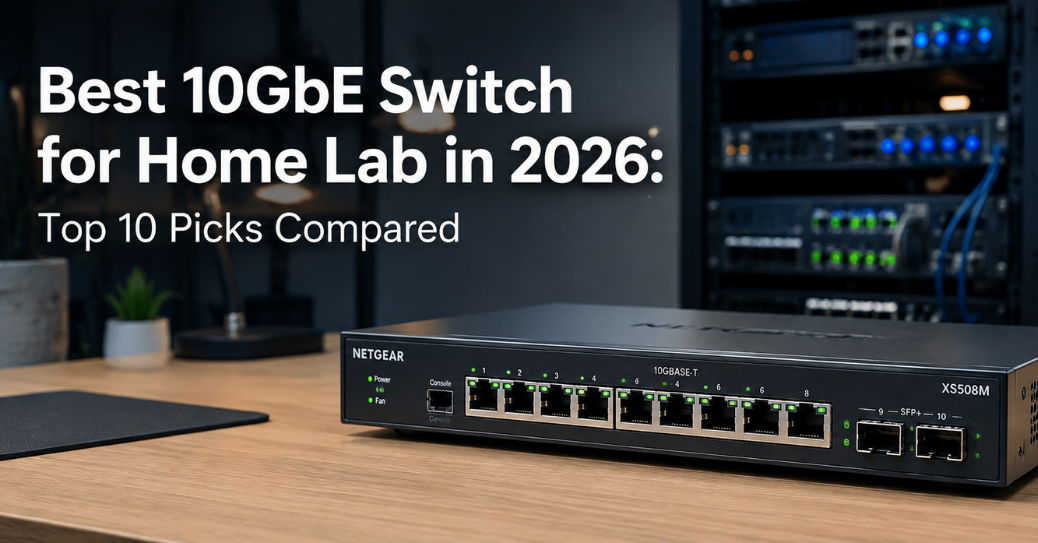
Gigabit ethernet used to feel fast. Then NAS drives got bigger, VMs got heavier, and 4K footage stopped fitting on a single 1Gbps link without pain. A 10GbE switch fixes that bottleneck for good. It moves data at ten times the speed of standard gigabit networking. This guide breaks down the best 10 gbe switch for home lab setups in 2026, based on real specs, real pricing, and real home lab use cases. You will find managed and unmanaged options, SFP+ and RJ45 ports, and budget picks next to premium ones. Every switch here fits a different type of builder, so read the use cases carefully before you buy.
Why a 10GbE Switch Matters for Your Home Lab
A single 10-gigabit link pushes roughly 1.1 GB per second under real-world conditions. Compare that to gigabit ethernet, which tops out near 125 MB per second on a good day. A 50GB backup that takes seven minutes on 1Gbps finishes in under a minute on 10G. That difference matters for anyone running Proxmox, TrueNAS, or ESXi at home. It matters even more once you add multiple VMs pulling storage over the network at once.
Home lab traffic patterns have changed a lot in the past three years. NVMe-based NAS units now push 2 to 4 GB/s internally, and 2.5GbE simply cannot keep up with that speed. Live VM migration is another common trigger. Moving a 32GB virtual machine over 2.5GbE takes close to 100 seconds. The same migration over a 10 gigabit switch finishes in about 25 seconds. Ceph clusters, iSCSI targets, and NFS shares all benefit from the extra headroom a 10GbE network switch provides.
Home lab enthusiasts are not the only ones driving demand here. Content creators editing 4K and 8K proxy files need sustained throughput that gigabit cannot deliver. Small businesses running 10 to 20 devices with shared NAS storage hit the same wall. Prices for 10-gig hardware dropped sharply between 2022 and 2026, and that drop opened the category to a much wider audience. An 8-port switch that cost $600 five years ago now costs under $150 in many cases.
How We Picked These 10GbE Switches
Selecting the right switch depends on port count, port type, management features, noise, and price per port. We compared SFP+ fiber switches against RJ45 copper switches, since each style suits a different home lab layout. We also weighed managed versus unmanaged designs, because VLAN support only matters if you actually plan to segment your network. Every switch below gets judged against these five criteria, and the comparison table further down lays out the numbers side by side.
Port density decides how much a switch can grow with your lab. A four-port switch works fine for two servers and a NAS. An eight or twelve-port switch fits a lab with multiple Proxmox nodes, a storage array, and a few workstations. Fan noise matters just as much for a home office as raw throughput does, since nobody wants a jet engine humming under a desk all day. Price per port is the number serious buyers should track, because it reveals real value better than sticker price alone.
Top 10 Best 10GbE Switches for Home Lab Use
1. MikroTik CRS309-1G-8S+IN – Best Overall Value
The MikroTik CRS309-1G-8S+IN remains the default recommendation across home lab forums for good reason. It packs eight SFP+ ports plus a single 1GbE management port into a compact, fanless chassis. Total switching capacity reaches 162 Gbps, with non-blocking throughput around 81 Gbps. That number matters, since it means all eight ports can run at full 10G speed simultaneously without internal bottlenecks.
Street pricing sits around $230, which works out to roughly $29 per 10G port. The unit runs RouterOS or SwOS in dual-boot mode, giving flexibility for beginners and advanced users alike. RouterOS unlocks VLANs, basic Layer 3 routing, and firewall rules for anyone segmenting lab traffic. SwOS strips things down to simple switching for people who just want plug-and-play speed. The passive heatsink design means zero fan noise, which suits a home office or a bedroom rack setup.
Home lab builders love this switch because it hits the sweet spot between price, port count, and silence. The dual-core 800MHz CPU and 512MB of RAM handle switching duties without breaking a sweat. A single 1GbE port with PoE input adds a convenient management path separate from the SFP+ data ports. Anyone running Proxmox clusters, TrueNAS boxes, or Ceph storage nodes gets excellent value from this switch.
2. MikroTik CRS305-1G-4S+IN – Best Budget SFP+ Switch
The CRS305 is the smaller sibling to the CRS309, and it remains the entry point for many first-time 10G home lab builders. Four SFP+ ports run at full wire speed, alongside one 1GbE management port. Pricing lands around $135, making it one of the cheapest true 10-gigabit switches on the market. RouterOS Level 5 comes preinstalled, giving access to VLANs and basic routing features right out of the box.
This switch fits labs with just two or three 10G devices, such as a NAS, a Proxmox host, and an uplink to a router. It runs fanless, just like its bigger sibling, so noise never becomes an issue. The compact desktop chassis fits easily on a shelf, though rack mount kits are available for standard 19-inch racks. Anyone starting a home lab on a tight budget should look here first, since four ports cover most beginner setups completely.
3. TP-Link TL-SX1008 – Best Unmanaged 10G Switch
The TP-Link TL-SX1008 stands out as the best overall 10GbE switch for home use in 2026, according to multiple independent reviews. It delivers eight 10G RJ45 ports with 160 Gbps of switching capacity and a forwarding rate near 119 Mpps. Auto-negotiation across five speeds means it works with 100Mbps, 1G, 2.5G, 5G, and 10G devices on the same switch. That flexibility matters for labs with a mix of old and new hardware.
Pricing runs between $300 and $350 depending on the retailer, and the sturdy metal chassis keeps the unit cool under load. A smart fan adjusts speed based on internal temperature, keeping noise minimal during typical home lab workloads. Copper RJ45 ports mean no need for SFP+ transceivers or DAC cables, which simplifies cabling for anyone without existing fiber infrastructure. Reviewers note over 176,000 positive ratings across major retailers, reflecting strong real-world reliability.
This switch fits home labs where existing Cat6a cabling already runs through walls or under floors. It works especially well for people upgrading a mixed-speed network gradually, since older 1G devices still connect without issue. Gamers and content creators also gravitate toward this switch for its low latency and simple plug-and-play setup.
4. NETGEAR MS510TXM – Best Managed Multi-Gig Switch
The NETGEAR MS510TXM brings smart managed features to a mid-size home lab without the complexity of a full enterprise switch. It offers a mix of multi-gig copper ports alongside SFP+ uplinks, supporting 100Mbps through 10G on the same hardware. Pricing sits in the $300 to $500 range, positioning it as a premium pick compared to unmanaged alternatives.
VLAN support, link aggregation, and optional cloud monitoring make this switch appealing to prosumers who want more control over their network. Fan noise stays low enough for desktop placement, based on multiple owner reports, which matters for anyone without a dedicated server closet. NETGEAR backs the unit with a lifetime warranty, adding peace of mind that budget brands rarely offer. Anyone running IoT devices, guest networks, and lab traffic on separate VLANs benefits directly from this switch’s management layer.
Home labs mixing 2.5G access points with 10G storage links find this switch particularly useful. The web-based interface avoids the steep learning curve of CLI-only switches like MikroTik’s RouterOS. That accessibility makes the MS510TXM a strong pick for anyone newer to managed networking concepts.
5. MikroTik CRS304-4XG-IN – Best Compact 10G Copper Switch
The CRS304-4XG-IN takes a different approach than its SFP+ siblings by offering four 10GBase-T copper ports instead of fiber. That copper design removes the need for SFP+ transceivers or DAC cables entirely. Pricing typically falls between $150 and $200, keeping it competitive with other budget-friendly 10G switches.
This switch suits home labs where existing Cat6a runs are already in place throughout the house. Fanless operation keeps noise at zero, matching the design philosophy of MikroTik’s other compact switches. RouterOS support brings the same VLAN and routing flexibility found across the CRS line. Anyone who prefers copper cabling over fiber optics, perhaps due to existing infrastructure, should consider this model over the CRS305 or CRS309.
6. QNAP QSW-M3216R-8S8T – Best Hybrid Copper and SFP+ Switch
QNAP’s QSW-M3216R-8S8T combines eight 10G RJ45 copper ports with eight SFP+ fiber ports on a single managed switch. That hybrid layout gives home lab builders flexibility to mix copper NAS connections with fiber uplinks to other switches or servers. Pricing lands in the premium tier, generally above $600, reflecting the larger port count and managed feature set.
Layer 2 and Layer 3 lite features come standard, including VLAN tagging, QoS, and link aggregation across ports. The rackmount chassis fits standard 19-inch server racks, making it a natural fit for dedicated home lab rooms. QNAP’s QuNetiX management interface simplifies configuration for users already familiar with QNAP’s NAS ecosystem. This switch suits larger home labs running 10 or more devices that need both copper and fiber connectivity in one box.
7. NICGIGA 8-Port 10G Switch – Best Budget Unmanaged Switch
The NICGIGA 8-Port 10G switch has carved out a loyal following among home lab builders who want true 10G speed on every port without paying for management features. Pricing typically sits below $150, making it one of the most affordable ways to get eight full 10G ports. Silent operation and a compact metal chassis round out the appeal for desk or shelf placement.
This switch fits creative studios and home labs where budget constraints outweigh the need for VLANs or QoS controls. Multiple reviewers note reliable performance under sustained file transfer loads, which matters more than flashy features for most home users. Anyone who just wants plug-and-play 10G speed across eight devices finds excellent value here.
8. UniFi Pro Max 24 – Best All-in-One Managed Switch
The UniFi Pro Max 24 takes a different approach by combining 24 ports of 2.5GbE copper with SFP+ 10G uplinks in a single managed switch. Pricing runs around $789, which is steep compared to dedicated 10G-only switches, but it consolidates an entire network into one device. Ubiquiti’s UniFi controller software offers what many consider the best user interface in consumer and prosumer networking today.
This switch suits home labs where a mix of 2.5G access points, workstations, and a 10G storage uplink all need to coexist on one switch. The higher price tag makes more sense for people who value UI simplicity and unified management over raw cost efficiency. Builders who already run other UniFi hardware, like access points or gateways, get the most value from adding this switch to their stack. For pure 10G port density, dedicated switches from MikroTik or TP-Link remain more economical.
9. TP-Link Omada SX3008F – Best Budget Managed SFP+ Switch
The TP-Link Omada SX3008F brings managed features to an 8-port SFP+ switch at a price well below QNAP’s comparable offerings. It fits home labs transitioning from gigabit to multi-gigabit infrastructure while needing basic VLAN segmentation. NDAA and TAA compliance make it a viable option for government or educational environments as well, alongside typical home lab use.
Omada’s controller software handles configuration across multiple switches, which helps anyone planning to scale their lab over time. The switch offers 2.5G ports on some models alongside SFP+ 10G uplinks, creating a natural upgrade path for newer NAS units and access points. Reviewers note that VLAN configuration is less intuitive than UniFi’s interface, so factor in a learning curve. Anyone wanting premium managed features without premium pricing should shortlist this switch.
10. MokerLink 12-Port Layer 3 Switch – Best for Advanced Routing
The MokerLink 12-Port switch stands out by offering true Layer 3 routing alongside both copper and SFP+ 10G connectivity. That routing capability lets advanced home lab builders handle inter-VLAN routing directly on the switch instead of offloading it to a separate router. Pricing sits in the mid-range tier, generally competitive with QNAP’s managed offerings.
This switch fits home labs running complex network topologies with multiple VLANs, static routes, and segmented lab environments. Advanced users running Proxmox clusters with dedicated management, storage, and public-facing VLANs benefit most from this switch’s routing features. Less experienced users may find the configuration interface more complex than simpler managed switches like NETGEAR’s offerings.
10GbE Switch Comparison Table
| Switch | Ports | Port Type | Managed | Price Range | Best For |
|---|---|---|---|---|---|
| MikroTik CRS309-1G-8S+IN | 8 SFP+ + 1GbE mgmt | Fiber/SFP+ | RouterOS/SwOS | ~$230 | Best overall value |
| MikroTik CRS305-1G-4S+IN | 4 SFP+ + 1GbE mgmt | Fiber/SFP+ | RouterOS | ~$135 | Budget starter lab |
| TP-Link TL-SX1008 | 8 x 10G | Copper/RJ45 | Unmanaged | $300-$350 | Plug-and-play speed |
| NETGEAR MS510TXM | 8 multi-gig + SFP+ | Copper + Fiber | Smart managed | $300-$500 | VLANs without CLI |
| MikroTik CRS304-4XG-IN | 4 x 10G | Copper/RJ45 | RouterOS | $150-$200 | Existing copper runs |
| QNAP QSW-M3216R-8S8T | 8 copper + 8 SFP+ | Hybrid | L2/L3 lite | $600+ | Larger hybrid labs |
| NICGIGA 8-Port 10G | 8 x 10G | Copper/RJ45 | Unmanaged | Under $150 | Budget 8-port speed |
| UniFi Pro Max 24 | 24 x 2.5G + SFP+ | Hybrid | UniFi controller | ~$789 | All-in-one network |
| TP-Link Omada SX3008F | 8 SFP+ | Fiber/SFP+ | Omada managed | Mid-range | Budget VLAN support |
| MokerLink 12-Port L3 | 12 mixed | Hybrid | Layer 3 | Mid-range | Advanced routing |
Managed vs Unmanaged: Which One Fits Your Home Lab
Unmanaged switches require zero configuration and work the moment you plug in a cable. That simplicity appeals to anyone who just wants faster file transfers without learning new software. A flat home lab network with a NAS and two or three servers rarely needs anything more complex than an unmanaged 10GbE switch. TP-Link’s TL-SX1008 and the NICGIGA 8-Port both fall into this category, and both deliver full-speed performance without any setup steps.
Managed switches make more sense once VLANs, QoS, or link aggregation enter the picture. Anyone isolating IoT devices, guest networks, or a public-facing lab segment needs VLAN tagging to keep traffic separated. Home lab builders running Proxmox clusters with dedicated management and storage networks also benefit from managed switch features. The tradeoff comes in setup time and, in many cases, a higher price tag compared to unmanaged alternatives.
The decision ultimately comes down to how complex your network topology needs to be. A single NAS and two compute nodes rarely justify a managed switch’s added cost and complexity. A lab running Kubernetes, Ceph, and multiple isolated VLANs almost always benefits from managed features. Match the switch to your actual network design instead of buying features you will never configure.
SFP+ vs RJ45: Choosing the Right Port Type
SFP+ ports use fiber optic transceivers or DAC copper cables instead of standard ethernet cabling. This design keeps power consumption and heat generation lower than equivalent RJ45 copper ports. MikroTik’s CRS309 and CRS305 both use SFP+ exclusively, which explains why they run completely fanless even under sustained load. The tradeoff comes in needing compatible transceivers or DAC cables, which add a modest cost on top of the switch itself.
RJ45 copper ports use standard ethernet cabling that most home labs already have installed. TP-Link’s TL-SX1008 and NETGEAR’s MS510TXM both use copper ports, avoiding the need for separate transceivers entirely. Copper 10G ports do run hotter and draw more power than SFP+ equivalents, which is why many copper switches include active cooling fans. Anyone with existing Cat6a wiring throughout their home benefits most from choosing a copper-based 10GbE switch.
Hybrid switches like the QNAP QSW-M3216R-8S8T offer both port types on a single device. That flexibility suits larger labs needing copper connections to NAS units alongside fiber uplinks to core switches. Consider your existing cabling infrastructure carefully before committing to one port type over the other.
Real-World Performance: What 10GbE Actually Delivers
Marketing numbers rarely match daily use, so real transfer speeds matter more than theoretical maximums. A properly configured 10GbE link sustains around 1.1 GB per second in continuous file transfers between capable devices. That number assumes both endpoints, not just the switch, support full 10-gigabit throughput without bottlenecks elsewhere. A NAS with spinning hard drives, for example, often cannot saturate a 10G link even with a capable switch in between.
VM live migration provides one of the clearest real-world benchmarks for measuring 10GbE benefit. Migrating a 32GB virtual machine over a 2.5GbE connection takes close to 100 seconds under typical conditions. The same migration completes in roughly 25 seconds once a 10 gigabit switch handles the transfer. That fourfold speed increase directly affects uptime during planned maintenance or failover events in a home lab cluster.
Backup windows shrink dramatically once 10GbE hardware handles the heavy lifting across a home lab network. A 500GB incremental backup that once took 70 minutes on gigabit ethernet now finishes in about 7 minutes on 10G. Anyone running nightly backups across multiple VMs will notice this difference immediately after upgrading their switch and network cards.
Power Consumption and Noise: What to Expect
Fanless SFP+ switches like the MikroTik CRS309 and CRS305 draw minimal power and produce zero operational noise. Both units rely on a metal chassis acting as a passive heatsink, dissipating heat without any moving parts. That design makes them ideal for bedroom, office, or living room placement where fan noise would otherwise become a problem.
Copper RJ45 switches generally run warmer and require active cooling to stay within safe operating temperatures. TP-Link’s TL-SX1008 uses a smart fan that adjusts speed based on internal temperature readings. Reviewers consistently note that fan noise stays low during typical home lab workloads, only ramping up under sustained heavy transfers. NETGEAR’s MS510TXM follows a similar pattern, with several owners confirming quiet operation suitable for desk placement.
Power draw across most 8-port 10GbE switches ranges between 15 and 40 watts under typical home lab load. Larger 16 or 24-port managed switches, like the UniFi Pro Max 24, draw considerably more power due to higher port density. Anyone running a switch continuously for years should factor electricity costs into their total cost of ownership calculation.
Common Home Lab Use Cases for 10GbE Switches
Proxmox and VMware clusters benefit enormously from 10GbE networking between nodes running shared storage. iSCSI and NFS traffic moves far more efficiently once the network stops being the bottleneck during VM operations. Live migration, snapshot replication, and shared datastore access all feel noticeably faster once 10G handles the load.
NAS-centric home labs see immediate benefits when upgrading from gigabit to 10GbE switching. All-flash NAS units and NVMe cache pools push far more throughput than gigabit ethernet can ever carry. A 10G uplink lets that storage performance actually reach client devices instead of getting capped at the network layer. Video editors working directly off network storage notice this improvement most, since scrubbing through 4K footage requires sustained bandwidth.
Ceph and other distributed storage clusters depend heavily on fast inter-node communication to function well. Rebuild operations, data replication, and read consistency all improve with a 10 gigabit switch handling cluster traffic. Home lab builders experimenting with hyperconverged infrastructure should treat 10GbE as a near-requirement rather than a luxury upgrade.
How Many Ports Do You Actually Need
Most home labs need somewhere between four and eight 10G ports for typical setups. Count your current 10G-capable devices first, then add roughly 30 percent for future growth. A lab with a NAS, two Proxmox nodes, and a workstation needs four ports at minimum, plus one for uplink. Reserve at least one or two ports specifically for inter-switch uplinks if you plan to expand later.
Small business networks and larger home labs typically need 12 to 24 ports to cover all connected devices comfortably. Data center style deployments, which some serious home lab builders replicate at home, often need 24 to 48 ports. Buying more ports than needed rarely hurts beyond upfront cost, since unused ports simply sit idle until growth demands them.
Mixed-speed environments benefit from switches supporting both 10G and 2.5G on the same hardware. NETGEAR’s MS510TXM handles this scenario well, since not every device in a home lab needs full 10-gigabit bandwidth. WiFi 6 and Wi-Fi 6E access points, for instance, rarely exceed 2.5Gbps in real throughput anyway.
Setup Tips for Your First 10GbE Home Lab Switch
Start by confirming your NAS, server, and workstation network cards actually support 10GbE before buying a switch. A switch cannot create speed that the connected devices cannot generate or receive. Check whether your existing motherboard has a 10G NIC, or whether you need a separate add-in card for each device.
Cabling matters more than most people expect when planning a 10GbE upgrade. Cat6a cabling supports 10GBase-T up to 100 meters, while older Cat5e caps out around 45 meters at reduced reliability. SFP+ DAC cables work well for short runs under 5 meters, offering lower latency and power draw than copper alternatives. Fiber optic SFP+ transceivers become necessary for longer runs between rooms or floors in a home.
Firmware updates deserve attention immediately after unboxing any new switch, managed or unmanaged. MikroTik regularly ships RouterOS updates addressing security patches and performance improvements for the CRS line. NETGEAR and TP-Link also release periodic firmware updates that improve stability and add features over time. Check the manufacturer’s website for the latest firmware before deploying a switch into a production home lab environment.
Cost Per Port: Finding the Best Value 10GbE Switch
Sticker price alone tells an incomplete story when comparing 10GbE switches across different port counts. Dividing total price by the number of 10G ports reveals which switches actually deliver the best value for a home lab budget. The MikroTik CRS309 costs roughly $29 per port at current street pricing, making it one of the strongest value picks in this entire roundup. The CRS305 lands close behind at about $34 per port, though its smaller port count limits growth room for larger labs.
Unmanaged copper switches like the NICGIGA 8-Port drop below $19 per port, undercutting nearly every SFP+ alternative on pure cost. That value comes with a tradeoff, since unmanaged switches skip VLANs, QoS, and other features serious home lab builders eventually want. TP-Link’s TL-SX1008 sits higher at roughly $40 per port, justified partly by its sturdier build and smart fan design.
Managed switches naturally cost more per port due to added firmware, features, and typically higher-grade components. NETGEAR’s MS510TXM averages between $40 and $60 per port depending on retailer pricing at any given time. QNAP’s hybrid QSW-M3216R-8S8T runs even higher per port, but that price includes both copper and fiber connectivity on a single 16-port device. Home lab builders should weigh cost per port against actual feature needs rather than chasing the lowest number blindly.
Price per port also shifts significantly with market conditions and semiconductor supply, so numbers move throughout the year. Checking multiple retailers before buying, including direct manufacturer stores, often reveals meaningful price differences on identical hardware. Patience around sale events, particularly late in the year, frequently saves home lab builders 15 to 25 percent off list pricing.
Troubleshooting Common 10GbE Switch Problems
Link negotiation failures rank among the most common issues home lab builders face after installing a new 10GbE switch. A port that refuses to hit full 10G speed usually points to a cabling problem rather than a switch defect. Cat5e cable run past 45 meters, or a cheap unshielded Cat6 cable, often negotiates down to 5G or 2.5G automatically. Swapping in verified Cat6a cabling resolves this issue in the majority of reported cases across home lab forums.
SFP+ compatibility issues occasionally surface when mixing transceivers or DAC cables from different manufacturers. MikroTik switches, based on extensive community testing, tend to accept third-party optics without complaint. Some Ubiquiti EdgeSwitch models, by contrast, show more selective behavior toward non-brand transceivers. Always check a switch’s compatibility list before buying third-party SFP+ modules to avoid returns and wasted time.
Overheating rarely affects fanless SFP+ switches, but active-cooled copper switches occasionally throttle under sustained load in poorly ventilated cabinets. Placing a switch inside an enclosed cabinet without airflow raises internal temperatures faster than expected. Adding a small cabinet fan or relocating the switch to open shelving usually solves throttling issues within minutes.
Firmware bugs occasionally cause VLAN misconfiguration or dropped links after an update, particularly on newer managed switches. Rolling back to a previous stable firmware version resolves most of these problems until the vendor issues a proper fix. Checking vendor community forums before updating firmware on a production home lab switch helps avoid unnecessary downtime.
Future-Proofing Your Home Lab Network
Home lab networking requirements rarely shrink over time, so buying with headroom in mind pays off within a year or two. A four-port switch that fits today’s lab often feels cramped once a second NAS or a third Proxmox node joins the rack. Choosing an eight-port switch from the start, even if only four ports see immediate use, avoids a costly early upgrade cycle.
25GbE and 40GbE hardware has started trickling down into the prosumer space, though pricing remains well above typical home lab budgets in 2026. Builders planning multi-year lab growth might consider a switch with at least one higher-speed uplink port for future expansion. That said, 10GbE remains more than sufficient for the vast majority of home lab workloads through the next several years.
Modular link aggregation also extends the useful life of a 10GbE switch considerably. Bonding two or more 10G ports together on a storage server creates an effective 20G or 30G link without replacing existing hardware. Switches supporting LACP, like the NETGEAR MS510TXM and several MikroTik models, make this upgrade path straightforward for anyone hitting single-link bandwidth limits.
Frequently Asked Questions
What is the cheapest true 10GbE switch for a home lab? The MikroTik CRS305-1G-4S+IN offers the lowest entry price at around $135 for four full-speed SFP+ ports. The NICGIGA 8-Port switch comes in under $150 for eight RJ45 copper ports, making it the cheapest option per port among unmanaged switches.
Do I need a managed switch for a home lab? Only if you plan to use VLANs, QoS, or link aggregation across your network. A simple lab with a NAS and a couple of servers works fine on an unmanaged 10GbE switch without any added complexity.
Is SFP+ or RJ45 better for a home lab? SFP+ runs cooler, quieter, and typically cheaper per port for pure switch-to-switch or switch-to-server links. RJ45 copper works better when existing ethernet cabling is already installed throughout the home and rewiring is not practical.
Can 10GbE switches work with 2.5G and 5G devices? Many modern 10GbE switches support auto-negotiation across multiple speeds on the same port. The TP-Link TL-SX1008 and NETGEAR MS510TXM both handle 100Mbps through 10G automatically on every port.
How much does a good 10GbE switch cost in 2026? Budget unmanaged switches start around $80 to $150 for four to eight ports. Managed switches with VLAN support typically run $200 to $600, while premium all-in-one switches like the UniFi Pro Max 24 approach $800.
Will a 10GbE switch actually speed up my NAS? Only if your NAS drives can sustain speeds above gigabit ethernet’s roughly 125 MB per second limit. All-flash or NVMe-based NAS units see dramatic improvements, while spinning hard drive arrays may not fully saturate even a 2.5G link.
Do 10GbE switches consume a lot of electricity? Fanless SFP+ switches like the MikroTik CRS309 draw very little power, often under 15 watts under typical load. Larger managed copper switches with more ports and active cooling draw considerably more, sometimes exceeding 40 watts continuously.
Final Words
Picking the best 10 gbe switch for home lab needs comes down to matching hardware to actual use cases rather than chasing the highest port count. The MikroTik CRS309-1G-8S+IN remains the strongest all-around pick for most home lab builders in 2026, thanks to its price, silence, and reliability. Budget-conscious builders should start with the CRS305 or NICGIGA options, while anyone needing VLANs without a CLI should look at NETGEAR’s MS510TXM. Larger labs benefit from hybrid switches like the QNAP QSW-M3216R-8S8T or the UniFi Pro Max 24. Whatever switch you choose, confirm your NAS and server hardware can actually use the extra bandwidth before spending the money. A 10GbE upgrade transforms backup times, VM migrations, and file transfers once every piece of the network supports the same speed.








 Get survival, travelling and auto tips, follow new technology trends, entertainment stories and world events with PeekTimes.