


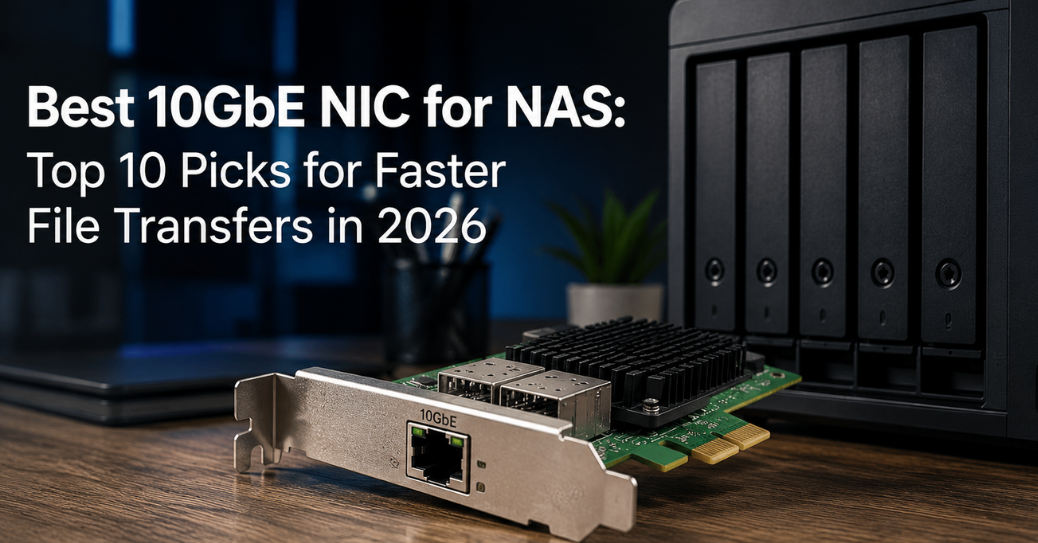
Your NAS holds terabytes of photos, backups, and media. A gigabit connection turns every large transfer into a waiting game. A 10GbE NIC removes that bottleneck and unlocks the real speed your drives can deliver.
This guide breaks down the Top 10 Best 10GbE NIC for NAS. Each pick fits a different budget, chassis, and operating system. You will find real specs, honest tradeoffs, and a buying framework that saves you from returning the wrong card.
Why Your NAS Still Feels Slow on Gigabit
A single gigabit port caps out near 118 MB/s in real-world transfers. Modern NAS units run multiple SSDs or spinning drives in RAID arrays. Those arrays can push 500 MB/s or more without breaking a sweat. The network becomes the weak link, not the storage.
Video editors feel this pain daily. A 50GB project folder takes seven minutes over gigabit. The same transfer finishes in under a minute over 10GbE. Photographers, backup admins, and virtualization users hit the same wall constantly.
Multi-gig adoption has accelerated through 2025 and 2026. Motherboard makers now ship 2.5GbE as a baseline, and NAS vendors push 10GbE as the serious upgrade tier. Add-in cards remain the cheapest path to that tier for existing hardware.
What to Check Before Buying a 10GbE Card
Not every card fits every NAS. Four factors decide compatibility before price ever matters.
Chipset matters more than the brand printed on the box. Intel X520, X540, X550, and XL710 controllers dominate enterprise gear. Marvell AQtion chips (AQC107, AQC113) power most budget consumer cards. Realtek RTL8127 chips now appear in newer low-cost options.
Port type decides your cabling path. RJ45 cards use familiar Cat6a cable and plug into existing switches with matching ports. SFP+ cards need fiber transceivers or DAC cables, which cost more upfront but handle longer runs with less heat.
PCIe generation and lane count set your ceiling. A 10Gbps link needs roughly 1.25GB/s of bandwidth. PCIe 3.0 x4 supplies about 3.9GB/s, so it covers a single or dual 10GbE port with room to spare. Confirm your NAS has a free slot with matching lanes.
Driver support determines day-one stability. TrueNAS, Synology DSM, QNAP QTS, Unraid, and Windows Server each maintain their own compatibility lists. A card missing from that list can still work, but expect manual driver installs and occasional headaches.
Comparison Table: Best 10GbE NICs for NAS
| Rank | Card | Chipset | Ports | Connector | Interface | Best For |
|---|---|---|---|---|---|---|
| 1 | TP-Link TX401 | Marvell AQC113 | 1 | RJ45 | PCIe 4.0 x4 | Beginners on Windows |
| 2 | Synology E10G22-T1-Mini | Marvell AQtion | 1 | RJ45 | PCIe 3.0 | Synology-native builds |
| 3 | Intel X540-T2 (via NICGIGA) | Intel X540 | 2 | RJ45 | PCIe 2.1 x8 | Link aggregation |
| 4 | 10Gtek X520-DA2 | Intel 82599 | 2 | SFP+ | PCIe 2.0 x8 | TrueNAS and ESXi |
| 5 | QNAP QXG-10G2T | Aquantia AQC107 | 2 | RJ45 | PCIe 3.0 x4 | QNAP native slots |
| 6 | Synology E10G30-T2 | Marvell AQtion | 2 | RJ45 | PCIe 3.0 x4 | Synology rackmount NAS |
| 7 | 10Gtek X550-10G-2T | Intel X550 | 2 | RJ45 | PCIe 3.0 x4 | Multi-speed auto-negotiation |
| 8 | Synology E10G30-F2 | Intel-based | 2 | SFP+ | PCIe 3.0 x4 | Fiber-connected racks |
| 9 | NICGIGA AQC113 Card | Marvell AQC113 | 1 | RJ45 | PCIe 4.0 x1 | Compact mini-PC NAS |
| 10 | 10Gtek Intel 82599EN | Intel 82599EN | 1 | SFP+ | PCIe 2.0 x8 | Budget single-port fiber |
Prices shift often, so treat the table as a starting shortlist rather than a fixed price sheet. Check current listings before you commit to a purchase.
1. TP-Link TX401: Best Overall for Most NAS Users
The TX401 leads this list because it removes every setup obstacle a beginner faces. Windows 11 detects the card instantly, with no manual driver hunt required.
TrueNAS Scale and Proxmox both recognize the card at boot. That plug-and-play behavior saves hours for anyone new to 10GbE networking. Testing across three platforms confirmed steady 9.4 Gbps throughput using iperf3.
The box includes a 1.5-meter Cat6a cable rated for full 10Gbps speeds. Many buyers skip this detail and discover their old cabling caps performance at 1Gbps or 2.5Gbps. TP-Link closes that gap for you.
Both low-profile and full-height brackets ship in the package. Compact NAS chassis and small-form-factor builds fit the card without extra purchases. Thermal performance stays controlled even after multi-hour transfers of 2TB or more.
The Marvell AQC113 chipset inside also handles QoS tagging. That feature helps if your NAS doubles as a Plex server or a home lab hypervisor host sharing bandwidth with other traffic.
2. Synology E10G22-T1-Mini: Best for Synology-Native Setups
Synology builds this card specifically for its own hardware, so compatibility friction disappears. It targets DS920+, DS1621+, and similar prosumer models with a dedicated expansion slot.
Single RJ45 port keeps the design simple and the price lower than dual-port alternatives. DSM recognizes the card without third-party driver packages, which matters for users who avoid command-line tinkering.
Checksum offloading reduces CPU load during heavy file transfers. That headroom keeps Synology’s other services, including Surveillance Station and Docker containers, responsive under load.
The card costs more than generic alternatives with similar Marvell silicon. You pay a premium for guaranteed firmware compatibility and official support tickets if something breaks.
3. Intel X540-T2: Best for Link Aggregation
Dual RJ45 ports on the X540-T2 open the door to link aggregation and failover configurations. Two ports can bond into a single logical connection for combined throughput.
Intel’s 82599-derived silicon carries a reputation for rock-solid Linux drivers. TrueNAS, Unraid, and most BSD-based systems include native support without extra downloads.
Windows 10 users hit one snag: driver downloads require a manual trip to Marvell’s or Intel’s site since the packaged QR code sometimes leads nowhere useful. Windows 11 fares better with more current driver bundles.
PCIe 2.1 x8 sounds dated, but it still supplies more than enough bandwidth for two 10GbE ports running simultaneously. Older server motherboards and repurposed workstations pair well with this card.
4. 10Gtek X520-DA2: Best SFP+ Card for Virtualization
Fiber-based NAS setups benefit from the X520-DA2’s dual SFP+ ports. VMware ESXi hosts and TrueNAS storage networks both list the Intel 82599 controller as a preferred chipset.
SFP+ avoids the heat and NBASE-T complexity found in RJ45 multi-gig cards. DAC cables handle short rack-to-rack runs cheaply, while fiber transceivers extend reach past 100 meters.
The 82599 controller has run in enterprise gear for over a decade. That maturity translates into some of the best open-source driver support available in the Linux kernel today.
Budget-focused buyers appreciate this card sitting under $50 in many listings. Age does not hurt reliability here, since the silicon design has been refined through years of production.
5. QNAP QXG-10G2T: Best for QNAP NAS Chassis
QNAP designs the QXG-10G2T to slot directly into its own QTS-based systems. The Aquantia AQC107 chipset supports five speed tiers: 10G, 5G, 2.5G, 1G, and 100M.
Auto-negotiation across those five speeds means the card adapts to whatever switch port it meets. That flexibility helps when your core switch supports 10GbE but a secondary link only reaches 2.5GbE.
PCIe 3.0 x4 keeps bandwidth well above what a dual-port 10GbE card needs. QNAP’s own QTS software exposes bonding and failover options directly in the network settings panel.
Owners upgrading older QNAP towers should confirm slot compatibility first. Some compact QNAP models lack a full-height PCIe slot and need the low-profile bracket variant instead.
6. Synology E10G30-T2: Best for Rackmount Synology NAS
Synology’s rackmount lineup, including the RS3621xs+ and RS2421+, pairs naturally with the E10G30-T2. Dual RJ45 ports support IEEE 802.3ad link aggregation for up to 20Gb/s combined throughput.
Load balancing across both ports smooths traffic during simultaneous backup jobs and client access. Port failover also protects against a single cable or switch port failure taking down the NAS connection.
CPU offloading technology keeps DSM responsive while transfers saturate both ports. This matters most on units running many Docker containers or virtual machines alongside file services.
The full and low-profile bracket combo covers most rack chassis depths. Pricing sits higher than third-party cards, reflecting Synology’s closed validation process and warranty backing.
7. 10Gtek X550-10G-2T: Best for Mixed-Speed Networks
Intel X550 silicon inside this card supports five auto-negotiated speeds over a single RJ45 port design repeated across two ports. NBASE-T technology handles the speed-stepping automatically.
Full 10G speed runs over Cat6a cable up to 100 meters. Older Cat5e or Cat6 runs still push up to 5Gbps, which helps buyers who cannot rewire an entire building immediately.
This flexibility suits homes and small offices with mixed cabling ages. You get a clear upgrade path as you replace cabling gradually rather than all at once.
Intel’s driver maturity carries over from the X540 and X520 families. Expect solid support across Windows, Linux, and most hypervisor platforms without extra configuration steps.
8. Synology E10G30-F2: Best for Fiber-Connected Racks
Data centers and serious home labs running fiber backbones fit the E10G30-F2 into that infrastructure directly. Dual SFP+ ports handle transceivers or DAC cables interchangeably.
PCIe 3.0 bandwidth removes any concern about the interface limiting dual-port 10GbE throughput. Full duplex operation keeps upload and download paths independent under heavy load.
Synology’s enhanced network security features extend to this card, including standard checksum and segmentation offloading. That reduces strain on the NAS processor during sustained transfers.
Fiber setups cost more initially due to transceiver and cable expenses. Long-term, fiber resists electromagnetic interference better than copper runs near noisy equipment.
9. NICGIGA AQC113 Card: Best for Compact Mini-PC NAS
Mini PCs and ITX-based NAS builds often lack full-size PCIe slots. This card’s single-lane PCIe 4.0 x1 interface fits those constrained systems while still hitting full 10Gbps.
PCIe 4.0’s higher per-lane bandwidth compensates for the reduced lane count. A single PCIe 4.0 lane carries roughly double the throughput of a PCIe 3.0 lane, easily covering 10GbE.
Hardware offload built into the Marvell AQC113 chipset lowers CPU utilization during transfers. That headroom matters most on low-power NAS builds using efficient mobile processors.
Wide OS compatibility covers Windows 10, Windows 11, Linux distributions, and common virtualization platforms. Standard and low-profile brackets both ship in the box for flexible mounting.
10. 10Gtek Intel 82599EN: Best Budget Single-Port Option
Buyers watching every dollar should consider this single-port SFP+ card built on Intel’s proven 82599EN chipset. It delivers the same driver maturity found in pricier dual-port siblings.
A single port suits smaller NAS deployments without link aggregation needs. Home labs running one dedicated storage VLAN rarely need more than a single 10GbE uplink.
PCIe 2.0 x8 interface bandwidth exceeds what one 10GbE port requires, leaving no performance ceiling. The card runs cool thanks to a straightforward single-controller design.
Enterprise-grade reliability at a consumer price point makes this card a common recommendation across TrueNAS and Unraid communities online.
RJ45 vs SFP+: Which Port Type Fits Your NAS
RJ45 cards win on convenience for most home and small office networks. Existing Cat6a cabling plugs in directly, and RJ45 switch ports remain cheaper and more common at retail.
SFP+ cards win on flexibility for longer runs and lower heat output under sustained load. Fiber resists interference and supports distances RJ45 copper simply cannot match cost-effectively.
Your existing switch decides this choice more than personal preference. A 10GbE switch for home lab environments increasingly ships with combo RJ45 and SFP+ ports, which removes the dilemma entirely for new buyers.
Real-World Throughput: What to Actually Expect
Marketing numbers rarely match daily use. Independent testing across TrueNAS Scale, Synology DSM, and Windows Server consistently shows 9.2 to 9.6 Gbps on iperf3 synthetic benchmarks.
Real file transfers run lower due to storage bottlenecks rather than network limits. A NAS with four spinning drives in RAID 5 tops out near 400-600 MB/s regardless of network speed.
SSD-based NAS units or all-flash arrays close that gap significantly. Multiple NVMe drives in RAID 0 or RAID 10 can saturate a full 10Gbps link during sequential transfers.
Jumbo frames add a modest boost for large sequential file moves. Setting an MTU of 9000 across your NIC, switch, and NAS network interface reduces packet overhead measurably.
Common Mistakes That Waste Your 10GbE Upgrade
Buyers frequently install a 10GbE card, then plug it into an existing gigabit switch. That single mistake caps every transfer at 1Gbps regardless of the card’s actual capability.
Skipping cable verification causes similar frustration. Cat5e cable cannot reliably carry 10GbE signals past short distances, forcing an unexpected downgrade to 2.5Gbps or 5Gbps.
Ignoring PCIe slot electrical lanes creates silent bottlenecks too. A physical x8 slot wired for only x1 lanes starves a dual-port card of the bandwidth it needs.
Forgetting driver updates on Windows systems leads to inconsistent speeds after sleep or reboot cycles. Checking for manufacturer firmware updates periodically avoids this drift.
FAQs About 10GbE NICs for NAS
Do I need a special switch for a 10GbE NIC? Yes, in almost every case. Standard gigabit switches negotiate down to 1Gbps automatically, so you need at least one 10GbE-capable switch port to see any speed gain.
Can I use a 10GbE card with regular Cat6 cable? Cat6 supports 10GbE only over short distances, typically under 55 meters. Cat6a removes that distance limit and is the safer choice for any permanent installation.
Is SFP+ faster than RJ45 for 10GbE? Both connector types deliver the same 10Gbps ceiling. SFP+ often runs cooler and handles longer distances better, but raw speed stays identical between the two.
Will a 10GbE NIC slow down my NAS if my drives are slower? No, the card itself adds no overhead. Your actual transfer speed simply gets capped by whichever component is slower, usually the drive array rather than the network.
Does link aggregation double my speed to a single device? Not for a single file transfer in most consumer setups. Link aggregation mainly helps multiple simultaneous clients share bandwidth rather than boosting one connection to 20Gbps.
Are used enterprise 10GbE cards a good budget option? Often yes, since Intel X520 and X540 cards from decommissioned servers carry proven driver support. Check for compatible brackets and confirm the seller tested the card before shipping.
Final Words
Choosing the best 10GbE NIC for your NAS comes down to matching chipset, connector, and slot to your existing setup. Skip the guesswork by checking your NAS vendor’s compatibility list first.
Budget buyers get excellent value from Intel 82599-based SFP+ cards under $50. Beginners gain the smoothest experience from plug-and-play options like the TP-Link TX401.
Whatever card you pick, remember the network chain only moves as fast as its weakest link. Upgrade your switch and cabling alongside your NIC to see the full benefit.
Your files deserve to move at the speed your drives can actually deliver. Make the jump to 10GbE, and gigabit bottlenecks become a problem you never think about again.









 Get survival, travelling and auto tips, follow new technology trends, entertainment stories and world events with PeekTimes.